Record View
General
The Record View will display a data record for editing either in a Default Form or a Customized Form (optional). To switch between the forms go to Extra -> Form. You can also create and edit links to other data records.
Default Form
The Default Form is automatically generated by LIMBAS after a table is created by the ADMIN. The groups of the table fields are displayed sequentially.
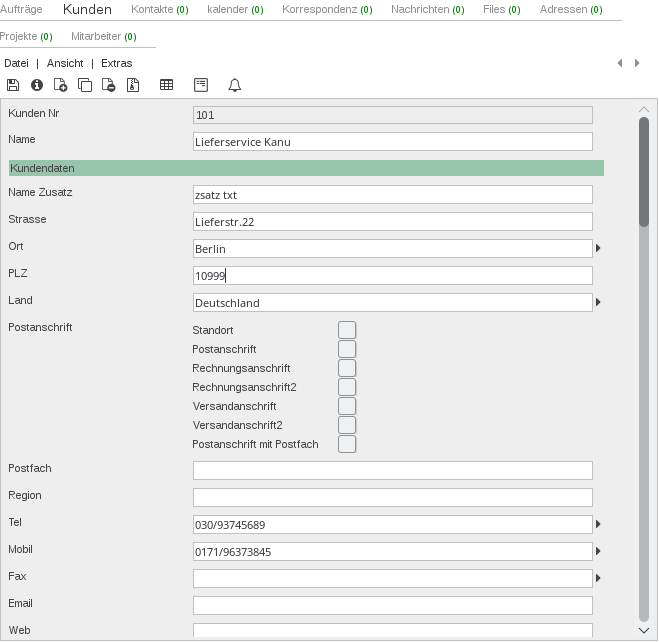
Fig.1: Record View Overview Default Form
Customized Form
The groups of the table fields are displayed in tabs. Some groups can have subdivisions. (the following example, the Group ADRESS is divided in ADDRESS DATA and OTHERS).
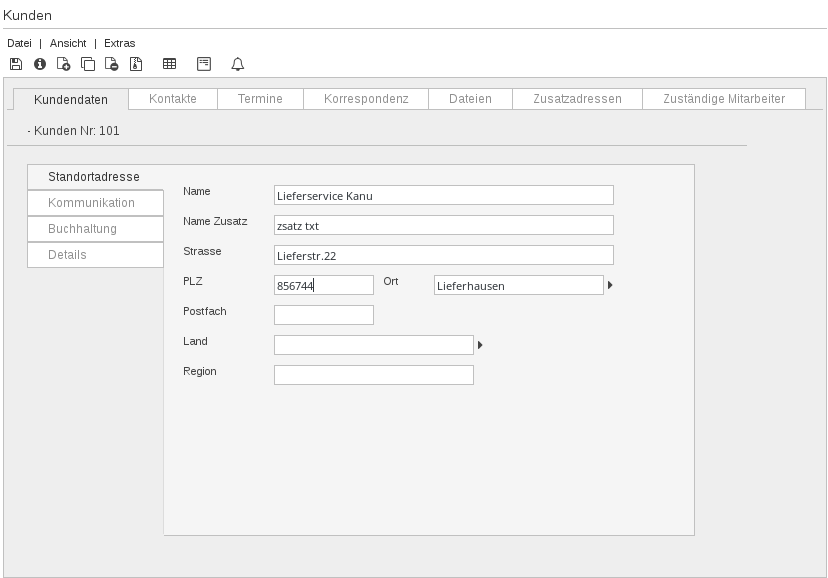
Fig.2: Record View Overview application-specific form
The possible input (e.g. text or numeric) in a field depends on the field type Field Type. This also controls what kind of ‘input window’ opens to support you. E.g. Field type Date – Quick calendar window will open.